the video workflow creates a short motion result from an authorized still and a movement brief. The source supplies the opening composition; your prompt explains the next event. The result is a new generated video, so exact likeness, motion, and detail preservation are not guaranteed.
How does consent-first Image to Video work?
Upload one authorized JPG, PNG, or WebP source up to 5 MB and describe one movement. Confirm the source is compatible with the selected setup, read the live Credit estimate, and compare the clip with the original still before revising.
| Input | Authorized source image of consenting adults and a motion prompt |
|---|---|
| Output | A new generated video guided by the source image |
| Source image | Use the image formats and file size accepted by the selected setup; check the requirements in the form. |
| Account | Sign in before submitting a generation request |
| Free sign-up Credits | Eligible new registrations receive 25 free sign-up Credits once, subject to anti-abuse checks. Sign in to confirm the actual balance. |
| Pricing | Review the live Credit estimate before submission |
| Models | Available models and settings come from the live Catalog |
| Privacy | Inputs and Outputs are private within NSFWGens Video by default. Production media is held in private Product Media storage and served through short-lived signed URLs; retention depends on the account, generation, safety, payment, and legal lifecycle described in the Privacy Policy. Privacy Policy. |
| Safety | Use original ideas or media you have the rights and informed consent to process, and depict clearly 18+ participants only. |
Model availability and output rights
Current limitations
The live Catalog controls which models, settings, and inputs are available. Direct video continuation and some advanced workflows may be unavailable, and commercial clearance depends on the applicable plan or model terms.
Generated outputs can vary, may not be unique, and are not automatically cleared for commercial use unless a particular plan or model expressly says otherwise.
Image to Video, start from a frame. Choose one movement to test.
Image to Video turns an authorized still into a short motion study. The source image already establishes the subject, composition, and visual tone, so your first brief can concentrate on what changes: a glance, one step, a small shift of fabric, or a restrained camera move. NSFWGens Video asks you to review the source, live model, output choices, and Credit estimate together. Begin with an image you made or have permission to process, with informed consent for every real person shown.
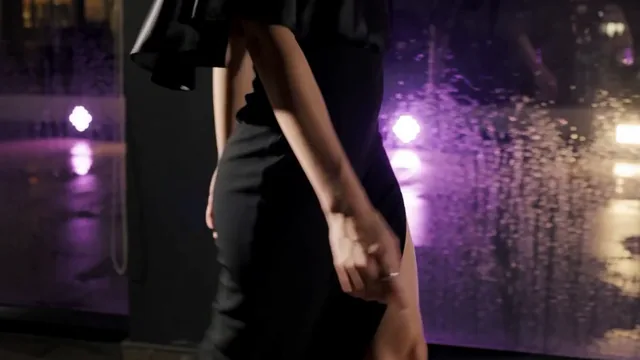
How to use Image to Video from an authorized source
Prepare the still as if it were the opening frame of a shot. Identify the subject, the important details, and the edges where motion could leave the composition. Describe one next event instead of rewriting the entire image. Check the live Catalog controls and the complete Credit estimate before submission, then review the result in History before deciding whether to edit the prompt or try a different workflow.
- 01
Confirm the source before uploading
Use an image you created or have the right to process. For a real person, confirm informed consent for the intended generation and sharing context. Check cropped hands, overlapping limbs, face visibility, clothing boundaries, and the space around the subject. A source with a clear silhouette gives Image to Video a more useful starting point.
- 02
Describe the next event
Write what should move first and what should stay important. A portrait can turn toward a window; a standing subject can take one step while the background remains calm. Avoid asking for a new outfit, new place, large camera travel, and several gestures in the same first request. One event makes the result easier to compare with the source.
- 03
Review the motion and the source details
Watch the result at normal speed, then compare it with the original still. Inspect face, hands, silhouette, clothing edges, crop, and background. Check the existing task in History after any connection issue. A connection or playback error does not confirm that generation failed. Check the existing task in History and its balance before retrying. A successful task does not guarantee that every source detail remains unchanged.
Three Image to Video motion briefs
These examples are illustrative references for prompt planning, not guaranteed generator outputs. These references show how the same source-first method can test a head turn, a measured walk, or a quiet fabric movement. Adapt the structure for an authorized source rather than treating a demonstration as proof of a particular model result.
Swipe horizontally to explore all three examples.
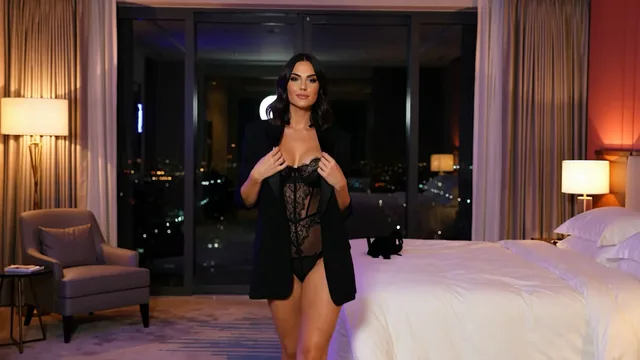
Turn toward the pool light
PromptUse the authorized still as the opening frame. The clearly adult subject turns slowly toward the pool window, keeps both hands relaxed, and stays within the original crop. Minimal camera movement.
Check whether the face remains stable while the movement stays inside the frame.
Keep three steps inside the crop
PromptUse the authorized corridor still. The clearly adult subject takes three measured steps toward the camera while the corridor stays stable. Keep the original clothing and medium framing.
Inspect feet and crop edges before asking for a faster walk.
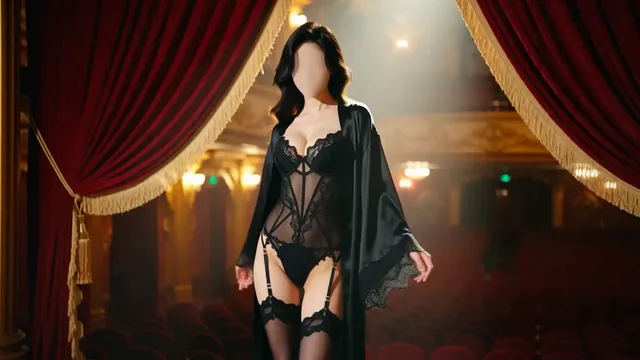
Let one cover-up move
PromptUse the authorized editorial still. A light breeze moves the cover-up while the adult subject holds a relaxed pose. Locked camera, restrained motion, original background preserved where possible.
A single moving fabric detail is easier to judge than a full pose change.
Read the Image to Video estimate
Image to Video availability depends on the source compatibility and the selected Catalog entry. Choose the source and output controls first, then compare the complete estimate with the signed-in balance. The live value governs the request; a sample duration or a marketing example does not set a universal cost.
| Goal | Focus on | Why it helps |
|---|---|---|
| Keep the subject inside the frame | A duration that fits the source crop | Shorter motion gives a first test less time to drift beyond the original composition. |
| Preserve the important visual cue | The clearest compatible source image | A clean silhouette and readable starting pose give the model a stronger reference for movement. |
| Compare source and result fairly | One aspect ratio and output setup | Stable framing makes it easier to identify motion changes instead of crop changes. |
| Avoid an unaffordable retry | The live estimate beside your balance | Different models, durations, or resolutions can change the required Credits, so read the current estimate every time. |
Diagnose the source before changing everything
the video workflow results are easier to improve when the source and request are separated. Name the visible issue, keep the source and most controls steady, and change one motion instruction. If the source itself is unclear or cropped, prepare a better authorized still before spending another Credit request.
- The movement leaves the frame
- Ask for a smaller event, reduce camera travel, or choose a source with more space around the subject.
- The image changes before the motion starts
- Describe the source as the opening frame and name one event. Remove extra wardrobe, location, and style changes from the first attempt.
- Face or hands drift during the action
- Use a smaller turn or gesture and inspect the source for occlusion before trying a more complex movement.
- The task appears stuck
- A connection or playback error does not confirm that generation failed. Check the existing task in History and its balance before retrying.
Image to Video questions
Practical answers about live settings, Credits, account access, and consent-first creation.
Use a clear image you made or have permission to process, with informed consent for every real person shown. Check the crop, silhouette, hands, face, and important clothing edges. Leave enough space for the movement you want to test.
Eligible new registrations receive 25 free sign-up Credits once, subject to anti-abuse checks. Sign in to confirm the actual balance. Choose a compatible live setup and compare the complete estimate with your balance; the allowance does not guarantee a clip count or unrestricted model access.
Only with the required rights and informed consent for the intended use, and only when every person is clearly an adult. Do not upload an unauthorized likeness, uncertain-age material, or non-consensual intimate content. Requests can be declined by provider or safety controls.
No exact match is guaranteed. Compare the result with the source for face, hands, clothing, silhouette, crop, and background. A concise motion brief can reduce unnecessary changes, but it cannot make preservation deterministic.
Yes, when you are authorized to process the source. Use Image to Image for a focused still edit, review the new image, and then make a separate the video workflow request with its own controls and Credit estimate.
Give the source frame one movement to answer.
Open the video workflow with an authorized still, describe one event, and compare the displayed estimate with your available Credits.